Measure the PDF
Create items and measure areas, lengths, walls, facades, counts, openings, cut-outs and earthworks.

PDF takeoff + budget + procurement + free browser viewer
STACRIFY helps construction estimators measure PDF drawings, turn quantities into structured budget rows, send bid packages, compare offers and share a reviewable viewer file with people who do not need a desktop license.
What STACRIFY solves
STACRIFY keeps the measured item, budget row, subcontractor offer and reviewable drawing context connected. The goal is simple: another person should be able to understand where the quantity came from and which price is being used.
Create items and measure areas, lengths, walls, facades, counts, openings, cut-outs and earthworks.
Use project and phase budgets with quantities, units, codes, comments, price sources and unit prices.
Create bid-ready Excel and viewer files, track recipients and compare returned subcontractor offers.
Export a browser viewer file so clients, project managers or team members can review without a license.
Free viewer
The desktop user controls what is exported. The recipient opens a viewer file in the browser and can inspect PDFs, measured items, quantities, budget rows, phase checks and notes.
Quantities can be reviewed alongside the PDF markings instead of only as spreadsheet rows.
The sender chooses which PDFs, items, sublayers and budget rows are included.
Viewer users can inspect quantities inside selected areas when the project data supports it.
Sticky notes can be placed on the drawing and returned inside the viewer file.
Bid packages and offer comparison
STACRIFY can keep bid packages, invited subcontractors, response statuses, reminders, received offers and selected budget prices inside the same project file.
See who was invited, who will bid, who will not bid and who has already returned an offer.
Compare selected offers against each other, highlight large differences and move chosen prices into the budget.
Export bid tables to Excel and import returned offer sheets while keeping the project workflow traceable.
Email logs, bid packages, contacts, reminders and selected prices stay available when the project is shared internally.
Where STACRIFY can save time
Auto Rooms, Auto Walls and Auto Finish Layers can reduce repetitive tracing when the PDF contains readable vector geometry. Manual tools remain available when the drawing is scanned, flattened or unclear.
Measure rooms and use selected phase areas for stages, apartments, zones or work packages.
Wall, facade, window and door quantities can keep gross, net and opening assumptions visible.
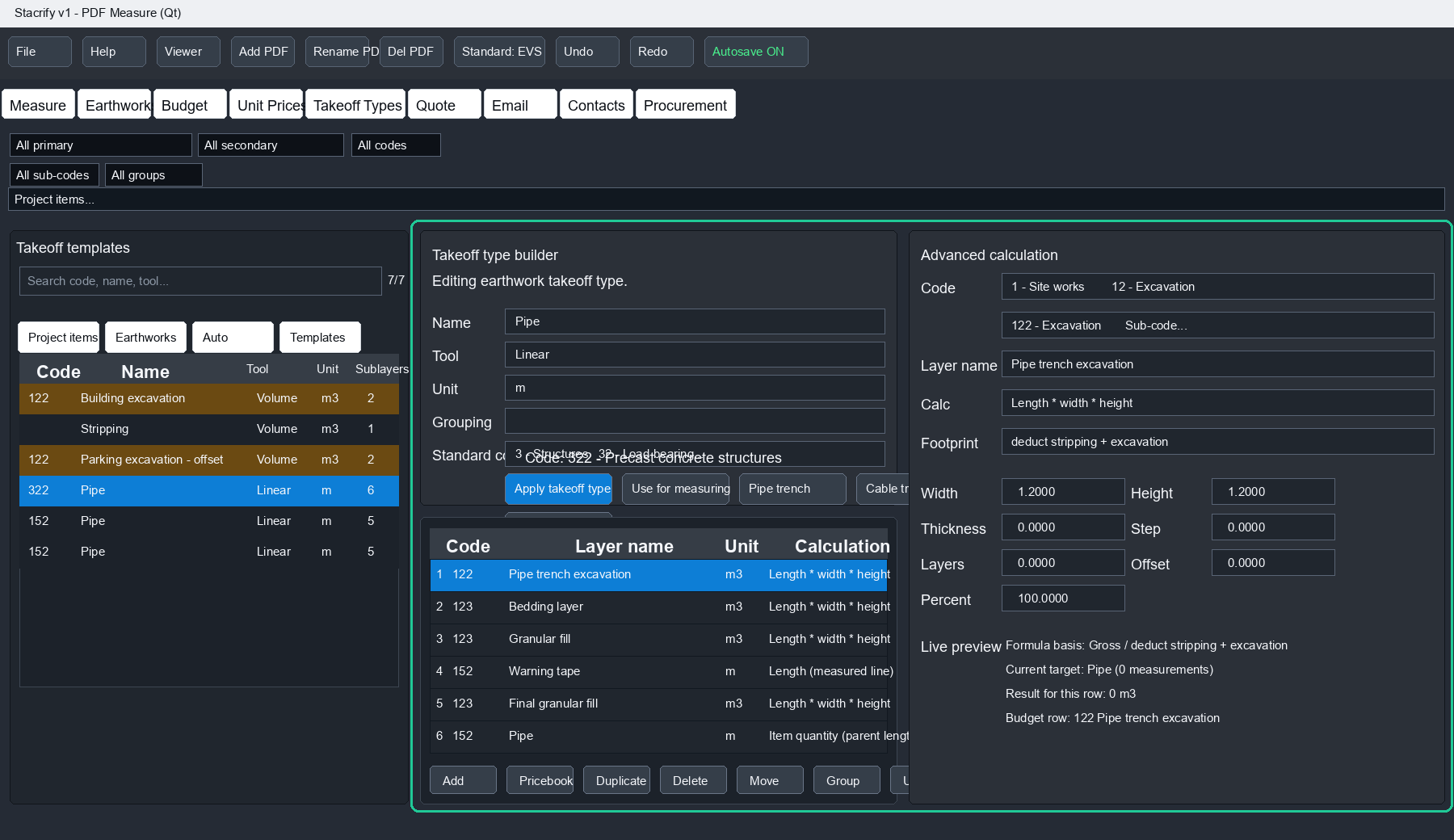
One measured item can generate several material, work or earthwork rows with their own calculation rules.
Save budget snapshots for comparison and review how quantities and totals changed over time.
Automation is a workflow accelerator, not a promise that every PDF can be solved automatically.
Software license
Paid STACRIFY licenses are currently handled directly. Contact us when you are ready to purchase a license or want access set up for your team.
The trial is free and does not require contacting us. Install STACRIFY, open the license window, choose the 14-day trial option and enter your email. The app requests a trial license online and activates it on this computer automatically.
Windows installer + 14-day trial
Install STACRIFY, open the license window and start a 14-day trial with your email. The trial is issued online automatically.
Install the latest Windows build.
Enter your email in the license window.
Measure, export a budget and share a viewer file.
Windows or your browser may show a warning because this is a new unsigned installer. We are working on code signing. Only install STACRIFY from stacrify.com. By downloading or using STACRIFY, you agree to the license terms.
Questions or pilot use
Contact us for a short walkthrough, workflow discussion or early user feedback session.